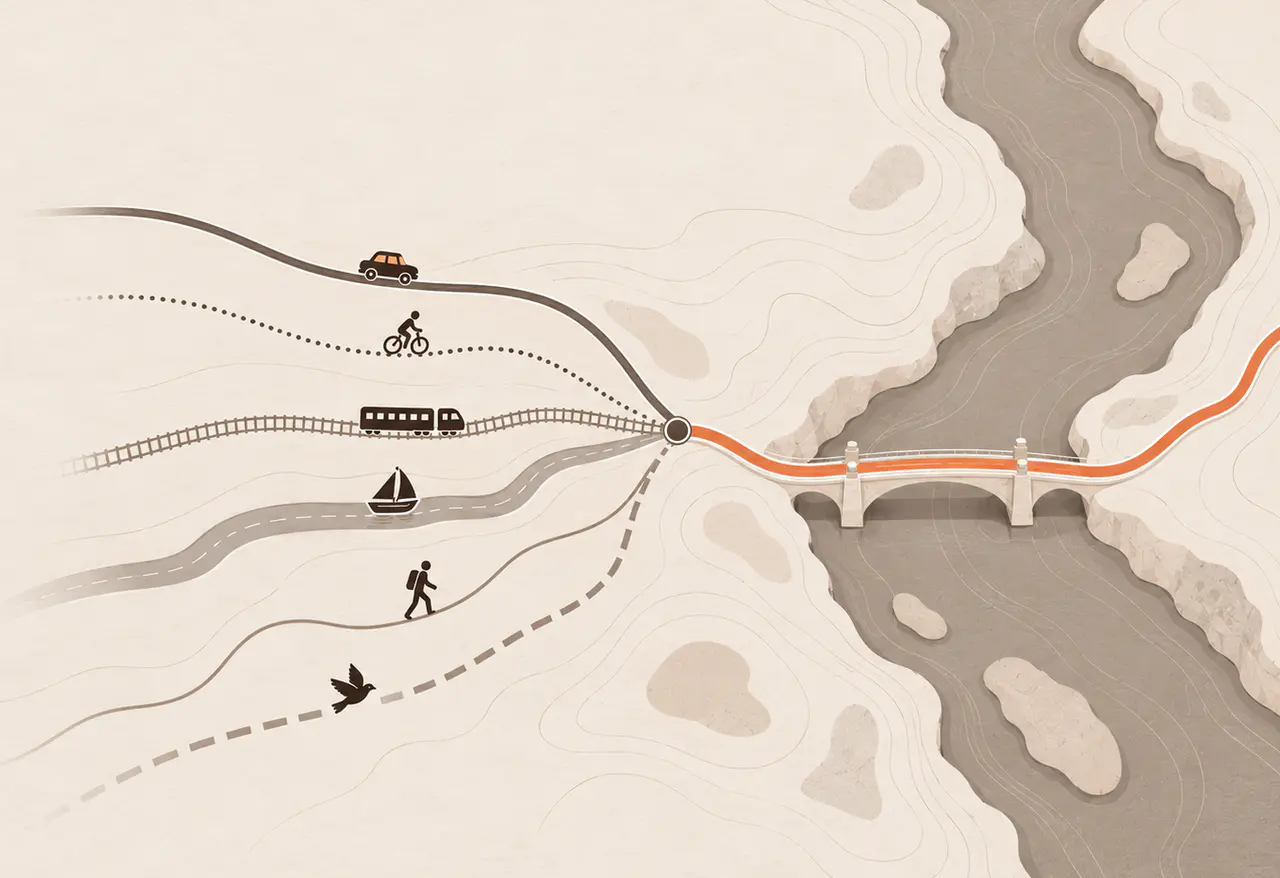
OpenCode and Pi.dev connect to local models through Bridge1; check Mac memory, model fit and storage before you download.
4 TESTED END TO END2 WITH EARLY SUPPORTGATEWAY KEY REQUIREDROUTE1 OR A PLAIN MODEL ID
Skip a separate model-server config for each coding tool: Bridge1 generates per-client setup for one local gateway. OpenAI-compatible and Anthropic-compatible APIs mean familiar request formats, with client-specific limits. Four clients are tested end to end on Bridge1: OpenCode, Codex, Claude Code and Claude Desktop. Pi.dev and Hermes Agent have early support. They connect, but they have had less testing, and the setup may change.
OpenCode, Pi.dev, Codex and Hermes Agent show each model under the same plain id. Claude Code and Claude Desktop show those same models with names beginning with claude-, as those apps require.
route1 always follows the model you pick in Bridge1. Switch models there and keep your client configuration.
In OpenCode, Pi.dev, Codex, Hermes Agent or Claude Code, type bridge1: help in a chat to check status, list models, or load, switch or stop a model. If a model is not ready, Bridge1 explains the next step in the chat. Turn chat controls off in Settings.
01 / SETUP BY CLIENT
CLI · TESTED END TO END
OpenCode
Launch on macOS; requires a suitable client version, an available model and your automatic-loading settings. Manual setup follows.
Add a bridge1 provider to ~/.config/opencode/opencode.jsonc. The Gateway panel writes the full entry for the model you chose. These are the values it uses:
OpenCode can also store the key with opencode auth login. OpenCode keeps that key separately, so it does not change when Bridge1 is reinstalled or the key is rotated.
CLI · EARLY SUPPORT
Pi.dev
Launch on macOS; requires a suitable client version, an available model and your automatic-loading settings. Manual setup follows.
Add the endpoint under Settings → Providers → Custom Endpoints → Add Endpoint. The form has no field for the Bridge1 client header. Add it under your endpoint in ~/.hermes/config.yaml as X-Bridge1-Client: hermes. The Gateway panel shows the full block.
CLI · TESTED END TO END
Claude Code
Launch on macOS; requires a suitable client version, an available model and your automatic-loading settings. Manual setup follows.
Start Claude Code with this command in your project folder. Replace the key with the gateway key from Bridge1's Gateway panel, which also gives you the exact command for your Mac.
ANTHROPIC_BASE_URL="http://127.0.0.1:54321" ANTHROPIC_API_KEY="YOUR-GATEWAY-KEY" ANTHROPIC_MODEL="claude-route1" API_TIMEOUT_MS="1800000" CLAUDE_STREAM_IDLE_TIMEOUT_MS="2400000" CLAUDE_CODE_DISABLE_NONSTREAMING_FALLBACK="1" ANTHROPIC_CUSTOM_HEADERS="X-Bridge1-Client: claude-code" claude
claude-route1 is Route1 for Claude clients. Inside Claude Code, switch models with /model claude-*. The Gateway panel adds one more setting when the model's window is 100,000 tokens or more.
DESKTOP · TESTED END TO END
Claude Desktop
Claude Desktop has no Bridge1 launcher; use the manual setup below.
Set Claude Desktop up under Third-Party Inference, in this order:
1Turn on Developer Mode
In Claude Desktop, open Help → Troubleshooting → Enable Developer Mode.
2Open the inference settings
Open Developer → Configure Third-Party Inference.
3Gateway base URL
http://127.0.0.1:54321
4Gateway API key and auth scheme
Paste the gateway key from the Gateway panel. Set the auth scheme to bearer.
5Model name
claude-route1
Claude Desktop only accepts model names that begin with claude-.
6Optional header
X-Bridge1-Client: claude-desktop
This tells Bridge1 which client sent the request, so the Live Log can name it.
Select the Bridge1 configuration in the switcher, then restart Claude Desktop. Use Test connection before you start a chat.
02 / KNOWN LIMITS
Long prefill, tool calls and compaction: client limits to check.
Bridge1 publishes these limits from the same list the app shows. Each one was measured on the named models; a limit on one model may not hold on another.
OPENCODE
Five limits
When the start of the prompt changes between runs, MLX models reread the chat once (about 100 s at 13K tokens on Qwen3.6-27B).
Token usage in Bridge1's replies is not visible yet, so long sessions may not compact on their own.
Switching between plan and build rereads the whole chat once (348 s at 98K tokens on Qwen3.6-35B).
Plan mode does not block shell commands (checked on version 1.18.29); a local model may run one.
The prompt can change between runs if one skill sits in both ~/.claude/skills and ~/.agents/skills; keep it in one folder (seen on Ornith-35B).
CLAUDE CODE
One limit
Auto mode's first safety check on a long chat: about 3 minutes on Ornith-35B, about 30 minutes of refused retries on Qwen3.6-27B, not measured on Qwen3.6-35B.
CLAUDE DESKTOP
Two limits
The Code tab gives up after about 13 minutes without visible output, for example while reading a very long prompt.
In the Code tab, the first step of a new prompt reread the whole chat (about 2.5 minutes at 53K tokens on Qwen3.6-35B); later steps reused it.
ALL CLIENTS
Nine limits
The fix for stalls while compacting was measured on Ornith-35B with Claude Code only; other models use it and have not been measured.
On Qwen3.6, Qwen3.8 and Ornith-35B MLX models, Bridge1 can count JSON, Polish, Finnish or Norwegian text up to 22% low, so compaction can start late.
On the same models, Vietnamese text counts 40 to 50% high, so a long Vietnamese chat can compact at 60 to 70% of the window.
A compaction at about 210K tokens on Ornith-35B sent nothing for 508 s (measured); a client that waits less can give up on that turn.
The loop guard stops a repeating answer and retries. Only on Ornith-35B was the retry shown to recover; on other models a turn can end with a stop note.
On Qwen3.5, Gemma 4 and Bonsai models, a new image in a long chat makes the model reread it once (about 2 to 10 minutes at 60K tokens).
On Ornith-35B, Qwen3.6-35B and Qwen 27B, an image makes them reload and reread the chat (457 s at 61K on Ornith-35B before a fix); earlier images become a note.
On MLX models with vision, each image kept in a chat adds about 1 to 2 s to every later step (measured on Qwen3.5 4B and Ornith-35B, up to 2 images).
A stopped model starts again when a client names it and nothing else is loaded.
03 / WHAT “EARLY SUPPORT” MEANS
Connected is not the same as tested.
Bridge1 names six clients. Four are tested end to end in real sessions. Pi.dev and Hermes Agent get a one-turn smoke test only.
Bridge1 speaks the request formats these clients use. A matching format does not guarantee that every client behaves the same way on every model.
KEEP CLIENT SETUP STABLE
Point the client at Route1, then choose the model behind it.
Check your client setup above, then review the memory and storage your Mac needs.
Bridge1 runs on macOS in early access; Apple Silicon is recommended and Intel is untested. Unified memory is shared by the CPU, GPU, macOS and your apps. Model weights, context and engine overhead compete for that space, so Bridge1 checks fit before every load instead of asking you to guess a RAM budget.
MACOS EARLY ACCESS24 GB MINIMUM32 GB OR MORE RECOMMENDED1.6 TO 29 GB PER MODEL ON DISK
01 / MINIMUMS
MEMORY
24 GB minimum
Apple Silicon with 24 GB of unified memory is the minimum. 32 GB or more is recommended, because the model budget is what is left after macOS and your apps.
BELOW 24 GB
Not supported
The current Bridge1 offer starts at 24 GB; smaller-memory machines are outside its supported requirements. Check a model’s complete memory bill before planning a long coding session.
PLATFORM
macOS on Apple Silicon
The early-access build is for macOS. Intel is untested. Windows and Linux are not available.
02 / HOW THE MODEL BUDGET IS COUNTED
The budget is the smaller of two numbers.
Bridge1's model budget is the smaller of macOS's GPU memory ceiling and installed memory minus a reserve for macOS and other apps: a third of installed memory, at least 4 GB and at most 8 GB. This is a design rule. macOS sets the ceiling per Mac; Bridge1 reads the real value when the app runs. On the 64 GB Apple M1 Max reference Mac, the measured ceiling is 81% of installed memory (55.66 GB of 68.72 GB).
On the reference Mac, an Apple M1 Max with 64 GB (68.7 GB installed), the budget is 55.7 GB. We have not measured the budget on other Macs, so the app reads it on yours.
BILL
Each model's bill
A loaded model reserves its weights, its overhead and the memory for its context window, with a small margin.
WINDOW
The largest that fits
The default window is the largest one the budget allows. You can lower it for a model as an Advanced setting.
LOADING
Checked before each load
When a model would not fit with what is already loaded, Bridge1 unloads a colder model or refuses, and says why.
03 / WHAT USES MEMORY
Weights, context and headroom: why a model file is not its RAM bill.
WEIGHTS
The model and its quantization
The downloaded model sets the starting footprint. The quantization, shown for each model, sets how large the weights are.
CONTEXT
A long conversation grows memory
The cache for the conversation grows with each turn, up to the window. A longer window needs more memory.
HEADROOM
The Mac still needs room
macOS, your editor, your browser and your projects all share the same memory.
04 / DISK AND STORAGE
Each model is 1.6 to 29 GB on disk.
The model files are the largest part. Bridge1 also keeps engine files and prompt caches, which are capped and can be reclaimed in Settings → Storage. Removing Bridge1 does not delete the compaction files; the Privacy Policy gives their folder.
Why can OpenCode reread a long prompt with a local model?
A changed prompt prefix or a plan/build transition can miss reuse and trigger another prefill. Bridge1 provides generated setup and a stable Route1 target, but cannot guarantee cache hits across changed input. Read the recorded OpenCode limits before relying on automatic compaction in a long session.
How do I use Claude Code with a local model in Bridge1?
Copy Claude Code’s setup from the Gateway panel and choose its Route1 model target. The Anthropic-compatible route handles the client request format while Bridge1 runs the local engine. This removes repeated endpoint and model-name edits; Auto mode and long-prompt limits still need the client-specific notes.
Can Codex edit files using a local LLM in Bridge1?
Codex file edits are available on most local models in the shipped release. Use its generated setup for the OpenAI-compatible route; a matching API alone does not establish every model’s tool reliability. Check the model and client limits before committing a long agentic task.
Are Pi.dev and Hermes Agent fully tested local coding clients?
They have early support, with a short smoke test rather than the end-to-end testing recorded for the other four named clients. Generated setup reduces hand configuration, but does not prove long-session behavior. Verify their current client settings before relying on a complex workflow.
How can I control Bridge1 from a coding chat?
In OpenCode, Pi.dev, Codex, Hermes Agent or Claude Code, type bridge1: help to check status, list models, or load, switch or stop a model. If a model is not ready, Bridge1 offers the next step in chat. Turn chat controls off in Settings.
Is a 16 GB Mac enough for Bridge1 local inference?
The current Bridge1 offer starts at 24 GB, with 32 GB or more recommended. Model weights, context and overhead share memory with macOS and your apps. The pre-load fit check cannot make an undersized machine fit the supported offer; use the catalog’s artifact-specific requirements.
Is Intel Mac support verified for Bridge1 coding models?
Intel is untested; Apple Silicon is recommended for macOS early access. MLX is the recommended path on confirmed Apple Silicon. Do not infer a tested Intel coding workflow from a model’s GGUF format alone; platform verification and model fit are separate requirements.
Can I download Bridge1 for Windows or Linux today?
The offered early-access build is macOS only. Product architecture can name other platforms without establishing a downloadable, tested release for them. Check the Download page’s current platform and memory requirements before planning a local coding setup.
How does unified memory affect Bridge1’s local model budget?
Bridge1 uses the smaller of macOS’s GPU ceiling and installed memory minus a reserve: a third of installed memory, at least 4 GB and at most 8 GB. This is a design rule. Weights, context and overhead share that budget. Bridge1 reads the live ceiling and checks each load.
What happens when a coding model and its context do not fit?
Bridge1 can unload a colder resident model or refuse the load with a reason. A memory plan sizes context before admission rather than relying on a guessed window. Other running applications still use memory, so the catalog is guidance and the live fit check is decisive.
 BRIDGE1